
In development, so far used internally only, not available
Our office in one Mac app.
grandmine is a native Mac app in which we bring our business processes together, all based on one set of data. So far we have built customers and suppliers, the catalogue and templates, quotes and invoices and payment matching. Incoming receipts, bank reconciliation, the preparation of the advance VAT return and customer projects with job costing are to follow step by step.
The name is a working title. We are building the app for our own use; it is not available.
What grandmine brings together
The sections are connected: a customer from the master data gets a quote, the quote becomes an invoice, its payment ends up in the open items and later in the advance VAT return.
Master data
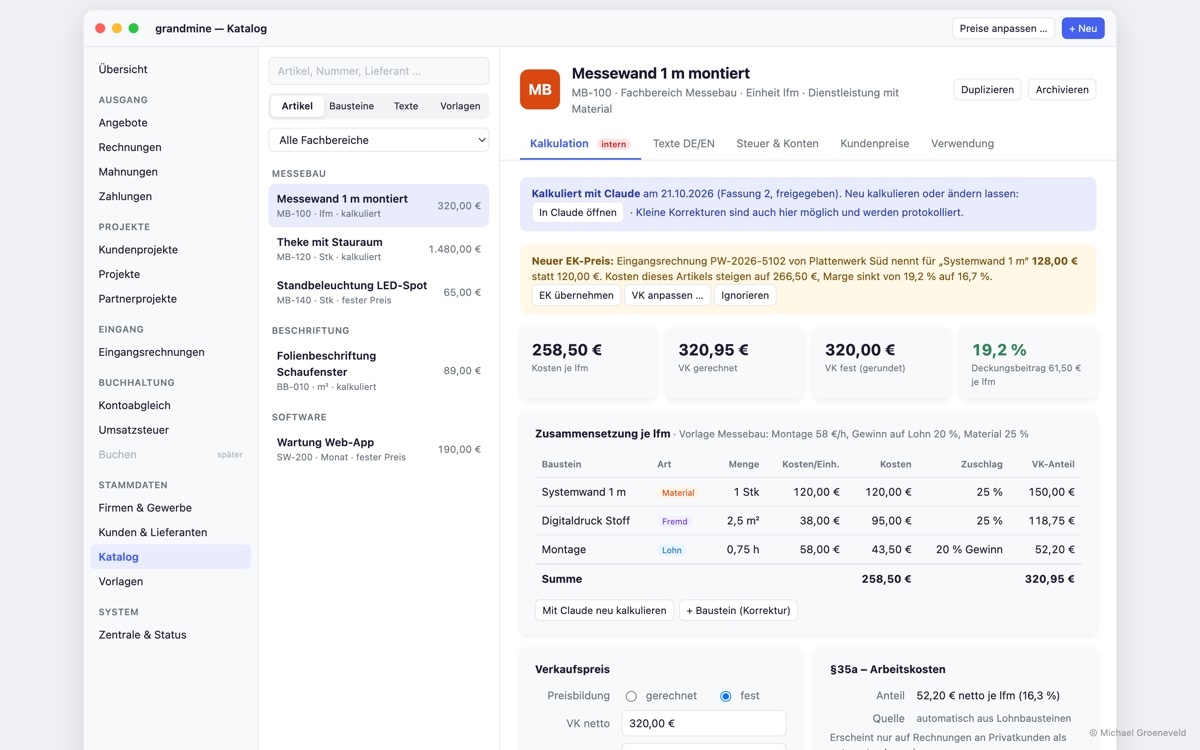
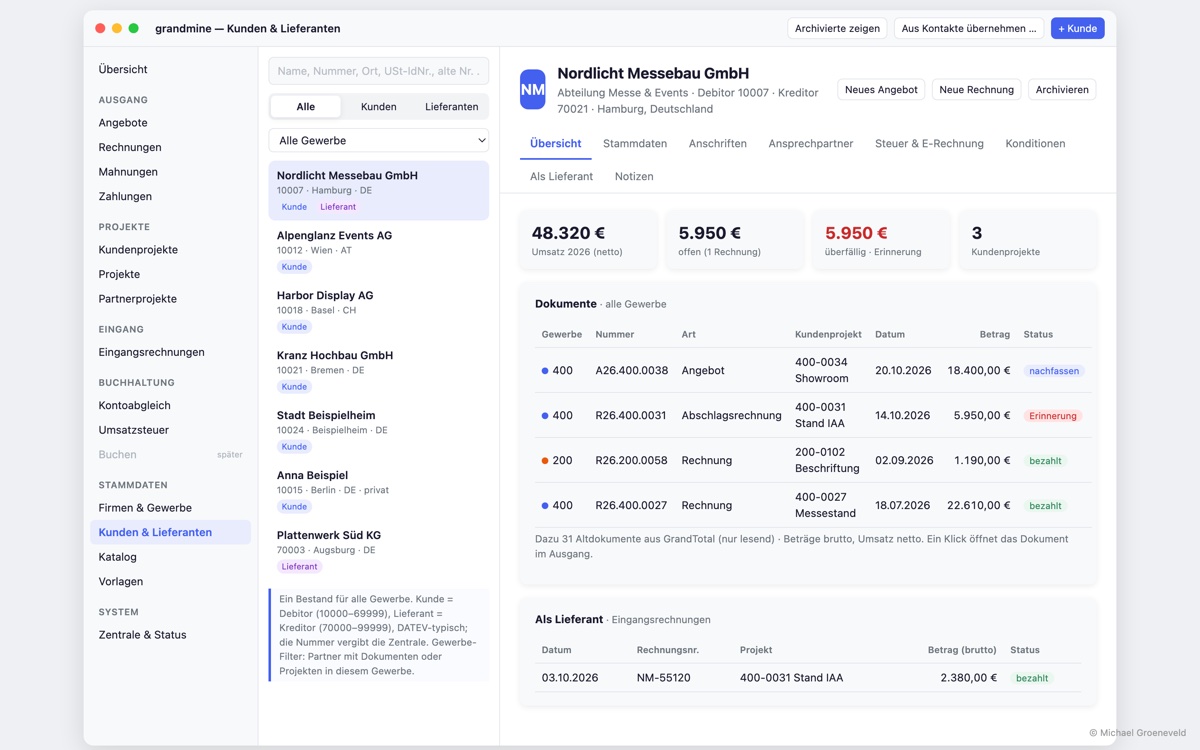
Customers and suppliers in one shared pool, plus the catalogue with items and text blocks and the templates for our documents.
Outgoing
Quotes and invoices with versions, partial and final invoices, plus payment matching. Cancellations, reminders and recurring invoices are coming next.
Projects planned
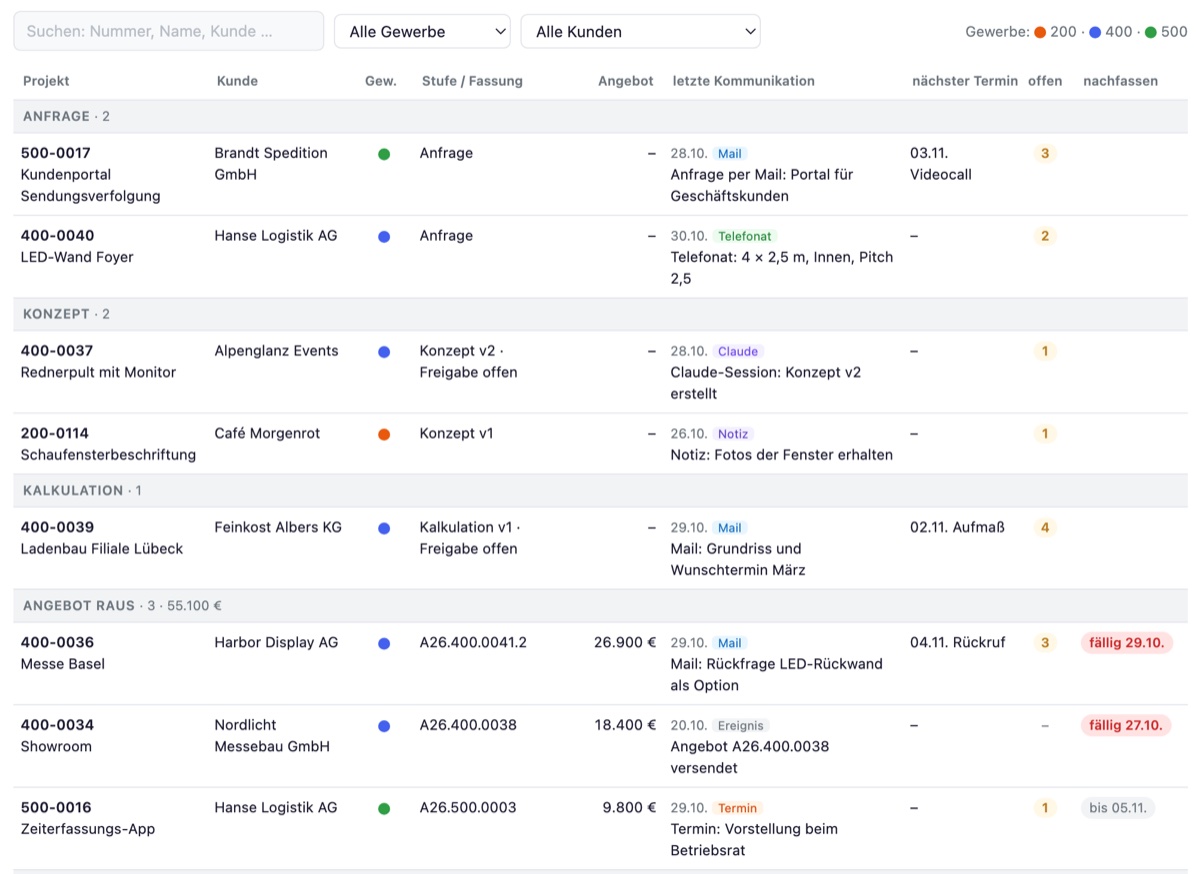
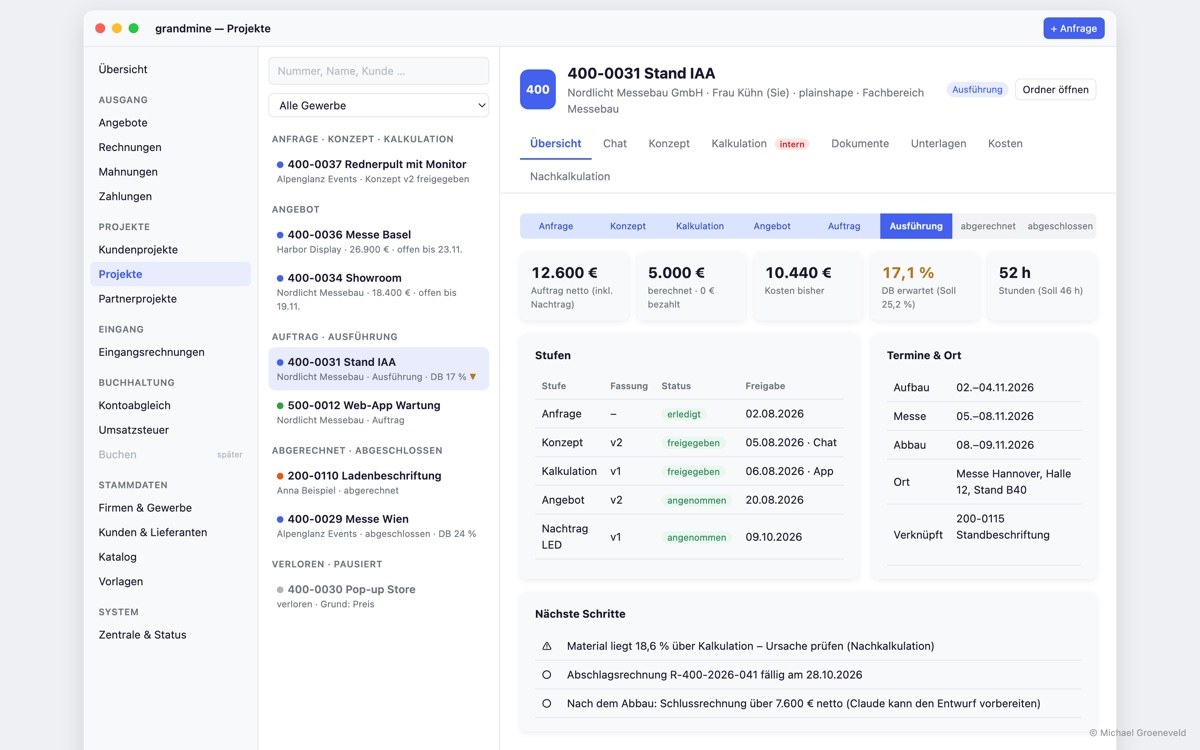
Customer projects from the first enquiry to billing, with costs, hours and job costing.
Incoming planned
Fetch, recognise, check and archive incoming receipts and e-invoices.
Bank reconciliation planned
Match bank transactions with invoices and receipts and keep an eye on open items.
VAT planned
Calculate and check the monthly advance VAT return before we submit it to the tax office.
What grandmine looks like
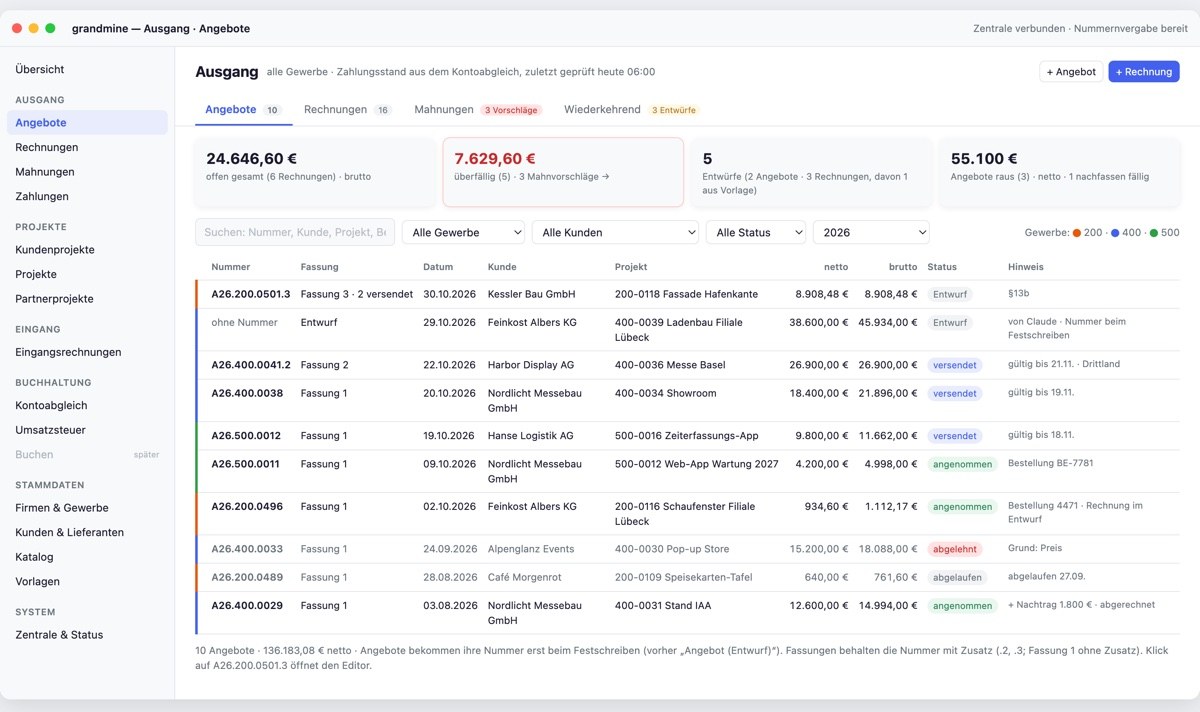
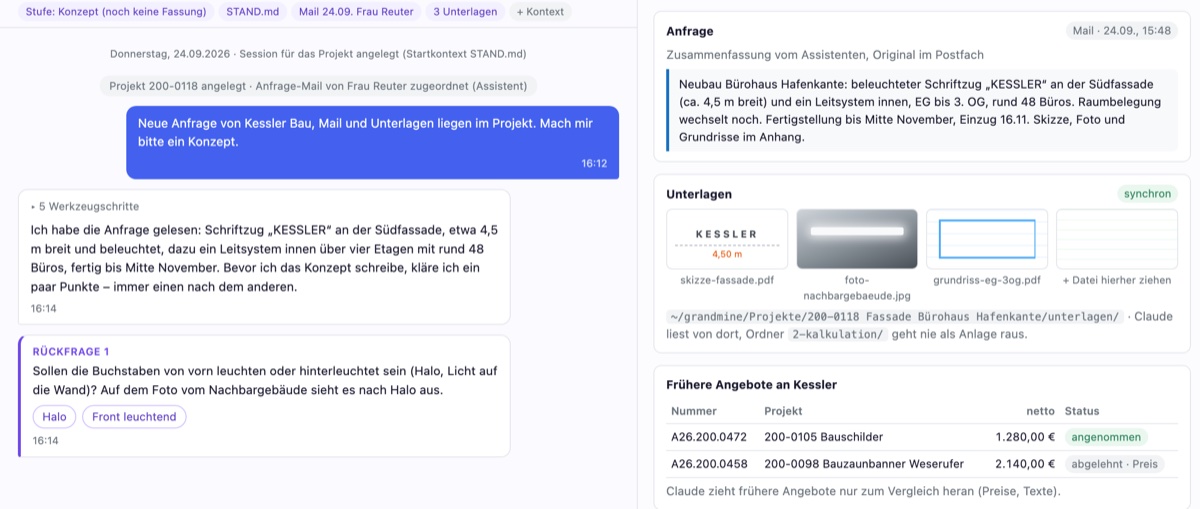
The images show our designs of the interface (mockups) with made-up sample data. Anything not built yet is marked as “planned”. Click an image to enlarge it.
What grandmine can do
grandmine is the archive, overview and correction tool for all the figures and documents our office deals with.
One pool, several units
Our business units share one set of data, each with its own sender details, templates and number ranges.
Quotes and invoices
Drafts with line items, discounts and totals, quote versions, partial and final invoices. Templates for cancellations and reminders already exist; the workflows for them and recurring invoices are coming next.
Tax checked
Every customer has a tax group, such as domestic, construction services, EU or non-EU. It determines the tax treatment of each line item, and checks point out inconsistencies.
Matching payments
grandmine matches incoming payments from the bank and payment services on its own when the invoice number and amount clearly fit. Discounts or combined payments are only suggested.
Several Macs, one hub
One Mac in the office assigns numbers without gaps, finalises documents, keeps a journal and runs backups. The other Macs work with a copy, and drafts work offline too.
Receipts and e-invoices planned
Fetch incoming invoices from email and folders, recognise them and record net amount and VAT per rate. E-invoices are to be read exactly.
Projects and job costing planned
Costs, hours and contribution margin per project, planned and actual. If something deviates from the costing, we want to see it early.
Costing in the chat planned
Concept, internal costing and quote are to be created in a chat with an AI assistant and arrive in grandmine as a draft. We then fix small details right in the editor.
Master data, templates, quotes and invoices and payment matching are built. Next we complete the outgoing section with cancellations, reminders and recurring invoices. After that come incoming receipts, the advance VAT return and bank reconciliation, and later customer projects with chat, job costing and catalogue costing.
Technology
A native Mac app without a cloud database: the data lives on our own Macs.
- Platform
- macOS, native Mac app
- Language and interface
- Swift 6 and SwiftUI
- Data
- SwiftData; the authoritative data lives on the hub, the other Macs keep a copy that is updated within seconds
- Traceability
- Journal of every change with a hash chain, versioned backups with restore test
- Tests
- Automated tests and a full check of every version on our own computer